
Creating an AI video is easy. Creating a complete, structured video with a script, consistent visuals, narration, music, subtitles, and editing is much more complicated.
Most AI video tools only handle one part of the process. You may generate short clips with one platform, write the script with another, create a voiceover elsewhere, and then spend hours combining everything in a traditional video editor.
Kliptix takes a different approach.
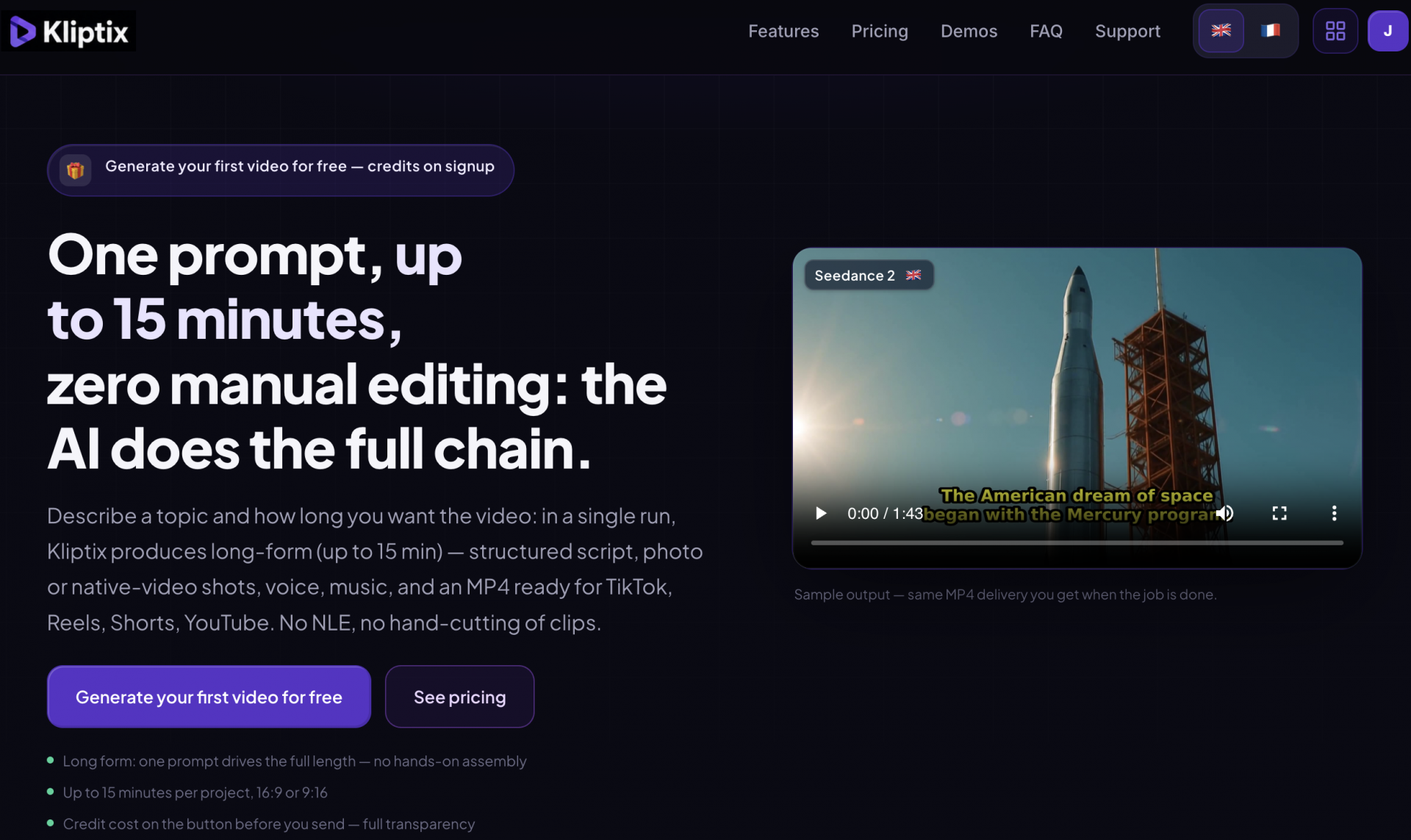
The platform is designed to turn one prompt into a finished video of up to 15 minutes. It can generate the script, visual sequences, voiceover, music, subtitles, social media copy, and final MP4 without requiring the user to build a manual editing timeline. It supports both horizontal 16:9 and vertical 9:16 content for YouTube, TikTok, Instagram Reels, and YouTube Shorts.
But is Kliptix genuinely useful, or is it another AI tool that promises more than it delivers?
In this detailed Kliptix review, we examine its features, workflow, pricing, ideal use cases, advantages, and limitations. We will also explain how to use the Kliptix promo code IAPASSION when choosing a paid plan.
Create Your First AI Video Free — Use Code IAPASSION When You Upgrade
The precise benefit attached to a promotional code can change over time. Enter IAPASSION during checkout and verify the final price and conditions before completing your purchase.
Kliptix Review: Quick Verdict
Kliptix is a promising all-in-one AI video generator for creators who want to automate the entire production process rather than generate isolated video clips.
Its main strength is orchestration. A single request can trigger scriptwriting, scene creation, narration, music, subtitles, editing, and export. This could save a considerable amount of time for faceless YouTube creators, educators, marketers, consultants, and small businesses.
Kliptix is particularly interesting for users who value speed and simplicity over detailed editing control. It is less suitable for professional editors who need to adjust every transition, cut, audio layer, or visual element manually.
The platform can produce impressive results, but every output should still be reviewed. Generative AI may introduce factual errors, visual inconsistencies, unwanted likenesses, or scenes that do not perfectly follow the original instructions. Kliptix acknowledges these limitations in its terms of service.
Overall verdict: Kliptix is worth testing for high-volume and long-form AI video production, especially because the first generation is offered through signup credits.
What Is Kliptix?
Kliptix is a fully automated AI video creation platform operated by Eldoranext, a French company based in Le Havre. Its purpose is to replace several separate production tools with one centralized workflow.
Instead of moving between a script generator, image model, text-to-speech platform, music service, subtitle editor, and video-editing application, users can launch the entire process from the Kliptix studio.
A project can include:
- An AI-generated script
- Animated images or native AI video
- Synthetic voiceover
- Burned-in subtitles
- AI-generated or uploaded music
- Horizontal or vertical formatting
- Reference images
- Branding and slogans
- A downloadable MP4
- Titles, descriptions, captions, and hashtags
Kliptix describes its platform as a complete production system that can perform the roles of a screenwriter, art director, voice talent, editor, mixer, and community manager.
The objective is not to give users another complicated editing application. It is to minimize the amount of editing they need to perform.
How Does Kliptix Work?
Creating a video starts with a prompt.
The user describes the topic, target language, desired duration, format, visual style, voice, and music. Kliptix then divides the subject into structured blocks and generates the individual elements required for the finished video.
Projects can last between a few seconds and 15 minutes, with duration selected in five-second increments. The same workflow can produce horizontal 16:9 content for YouTube or websites and vertical 9:16 content for TikTok, Reels, Stories, and Shorts.
Once generation begins, Kliptix processes the project in the background. Users can follow its progress instead of remaining on a frozen page.
The final delivery may include a video player, MP4 download, shareable link, social media text, hashtags, the complete script, and individual segment previews. The credit cost is displayed before the user launches the generation.
Kliptix also uses automated quality checks to validate the duration, streams, and size of the finished MP4. When a technical failure is attributable to the platform, affected credits may be restored under its published policy.
Try Kliptix on a 30-Second Project Before Generating a Full-Length Video
Starting with a short project allows you to evaluate the visual style, voice, prompt interpretation, and real credit cost before committing to a longer production.
Kliptix Features Reviewed
AI Videos of Up to 15 Minutes
The ability to create videos of up to 15 minutes is Kliptix’s most distinctive feature.
Many AI video generators specialize in clips lasting only a few seconds. Users must generate multiple scenes and assemble them manually if they want a longer video. Kliptix attempts to automate that entire process within a single project.
One prompt can drive the script, scene segmentation, visuals, voiceover, subtitles, music, and final assembly for the full duration.
This feature makes Kliptix relevant for:
- Faceless YouTube channels
- Educational videos
- Product explainers
- Short documentaries
- History and storytelling channels
- List-based content
- Marketing videos
- Training materials
- Social media series
Long-form AI production still has limitations. The more scenes a video contains, the greater the risk of style changes, repeated ideas, or inconsistent characters.
Kliptix addresses technical interruptions by retrying individual blocks and, when necessary, using a fallback for a failed scene so the complete project can still be delivered.
Animated Images or Native AI Video
Kliptix provides two primary approaches to visual creation.
The first uses generated still images with movement effects such as zooming and panning. This option generally consumes fewer credits and can work well for narration-led content, explainers, educational videos, and list-based formats.
The second approach generates native AI video scenes with movement inside the image. Native video can look more dynamic and cinematic, but it consumes more credits per block.
Kliptix currently organizes visual models into Eco, Standard, and Premium tiers. Its public pricing page references tools including GPT-5 Image mini, Veo 3.1 Lite, Nano Banana, Kling Video O1, Nano Banana Pro, and Seedance 2.0 Fast. Model availability and credit costs may change as the platform updates its technical routing.
The ability to choose between economical photo animation and more expensive native video gives users greater control over production costs.
A simple informational video may not require native footage in every scene. Combining economical visuals with selected premium sequences could provide a more balanced result.
Automated Scriptwriting
Kliptix includes an AI screenwriter designed to create structured, multilingual scripts.
The system breaks the script into blocks that correspond to individual visual sequences. This is important for long videos because every scene needs to connect logically to the narration around it.
Script automation can save time, but the generated text should not be published without review. AI can introduce incorrect dates, names, statistics, or explanations.
Kliptix explicitly recommends human review because AI-generated outputs may contain factual errors, approximations, artifacts, and inconsistencies.
For the best results, users should provide a detailed prompt containing:
- The intended audience
- The desired tone
- The main argument
- Important facts to include
- Subjects to avoid
- The preferred structure
- The desired call to action
The more precise the brief, the more likely Kliptix is to generate a useful first version.
Multilingual Video Production
Kliptix supports multilingual scripts, voiceovers, and social media content.
The interface itself is available in English and French, while individual video projects can be created in a wider catalog of output languages.
This feature can help businesses repurpose one concept for different markets. A company could create an English version of a product explanation and then generate adapted versions for French-speaking or international audiences.
However, translated content should always be reviewed by a fluent speaker. A technically correct translation may still contain unnatural expressions, cultural mistakes, or calls to action that are poorly suited to the target market.
Voiceover and Subtitles
Kliptix can add a synthetic voiceover and create timestamped subtitles.
The platform’s voice system generates timing data intended to improve subtitle synchronization. Users can also select subtitle styles that are burned directly into the video.
Burned-in subtitles are especially useful for social platforms because many viewers watch videos without sound.
The quality of the final result will depend on the selected voice, language, script punctuation, and pronunciation of proper names. Testing several short sequences before generating a long video is recommended.
AI Music and Uploaded Audio
Kliptix can generate background music or use an audio file provided by the user.
Uploaded MP3 or WAV tracks can be adjusted to fit the duration of the finished video. The system can also reduce the music volume beneath the narration.
This eliminates another stage that would otherwise require a separate editing application.
Users remain responsible for ensuring that they have the necessary rights to any music, images, voice recordings, logos, or other files uploaded to the platform.
Reference Images and Recurring Characters
Users can upload a reference image to guide the appearance of a character, person, object, or product across multiple scenes.
This feature may improve visual consistency and help brands maintain a recognizable identity. Kliptix also offers options for slogans and branding elements.
However, reference-image support does not guarantee perfect consistency.
Faces, clothing, objects, colors, logos, and proportions may change between scenes. Product-focused and client-facing videos should therefore be inspected frame by frame before publication.
Social Media Content Pack
Kliptix can provide more than a finished MP4.
Depending on the project and subscription, the platform may generate titles, descriptions, captions, and hashtags adapted for social distribution.
This can accelerate the publishing workflow, especially for creators who distribute one video across several platforms.
The generated copy should still be adapted to the target platform. A YouTube title, Instagram caption, and TikTok hook should not necessarily use the same wording.
Kliptix Pricing
Kliptix uses a credit-based subscription model.
One credit is currently valued at $0.10. The number of credits required for a video depends on its duration, visual model, quality tier, format, and additional options. Prices displayed on the website exclude applicable taxes.
The platform advertises a minimum production cost starting from approximately $1.20 per minute, excluding VAT, depending on the selected model and options.
Starter Plan
The Starter plan costs $29 per month and includes 290 monthly credits.
It provides watermark-free MP4 exports, 16:9 and 9:16 formats, projects of up to 15 minutes, Eco and Standard models, reference images, subtitle styles, and AI-generated or uploaded music.
Kliptix estimates that this allowance may produce approximately 24 one-minute Eco photo-animation videos or around six one-minute Native Eco videos, excluding add-ons.
Creator Plan
The Creator plan costs $89 per month and displays 1,200 monthly credits.
It adds Premium visual options, human support, multilingual output, subtitle styling, and social media copy. It is designed for creators who produce several pieces of content every week.
Agency Plan
The Agency plan costs $249 per month and includes 4,000 monthly credits.
It targets teams and agencies that need greater production volume, parallel project launches, priority server access, and priority support.
One-off packs of 100, 500, and 1,000 credits are also available.
How to Use the Kliptix Promo Code IAPASSION
When selecting a paid subscription or eligible purchase, enter the following code during checkout:
Promo code: IAPASSION
Apply the code before confirming payment and check that the associated promotional benefit appears in the final order summary. The exact discount, eligible plans, and validity period may depend on the current campaign.
This is the most relevant place to present the code because visitors reading the pricing section already have strong purchase intent.
Unused subscription credits are not carried over when a new paid billing period begins, so select a plan based on realistic monthly production rather than the largest theoretical allowance.
Kliptix Pros and Cons
Main Advantages
Kliptix’s primary advantage is convenience.
The platform centralizes tasks that could otherwise require several subscriptions and a significant amount of manual work.
Its strongest benefits include:
- Complete video production from one prompt
- Videos of up to 15 minutes
- Horizontal and vertical formats
- Animated-image and native-video modes
- Automated scripts
- Multilingual production
- Voiceover and subtitles
- AI-generated or uploaded music
- Reference-image support
- Watermark-free paid exports
- Social media captions and hashtags
- Credit cost displayed before generation
- Free signup credits for a first generation
For frequent creators, the time saved may be more valuable than the subscription itself.
Main Limitations
Kliptix focuses on automation rather than detailed manual control.
Users do not receive the same frame-level precision they would have in a professional nonlinear editing application.
Potential limitations include:
- Native video can consume credits quickly
- Long videos may contain visual inconsistencies
- AI scripts require fact-checking
- Character consistency is not guaranteed
- Outputs may require regeneration
- Unused subscription credits do not roll over
- Subjective dissatisfaction does not normally qualify for restored credits
- AI models and credit costs may change
A completed video that does not satisfy a user’s artistic, narrative, or commercial expectations does not automatically qualify for a refund. Credit restoration generally applies to recognized technical failures rather than subjective quality issues.
Who Should Use Kliptix?
Kliptix is best suited to creators who value speed, publishing frequency, and automation.
Potential users include:
- Faceless YouTube creators
- TikTok and Instagram publishers
- Affiliate marketers
- Online educators
- Coaches and consultants
- Small businesses
- Local marketing teams
- Course creators
- Niche media websites
- Content agencies
A faceless YouTube creator, for example, could use Kliptix to move from a topic idea to a narrated video without filming footage or manually building a timeline.
An agency could use it to produce concepts, previews, multilingual variations, or recurring social media content.
Kliptix is less appropriate for cinematic productions, premium advertisements, tightly regulated communications, or brands that require perfect visual consistency.
Privacy and Commercial Use
Kliptix relies on multiple third-party AI providers to generate text, images, audio, and video.
Depending on the selected model and routing, production data may be processed in the European Union, United Kingdom, United States, China, or other jurisdictions. Users should avoid entering confidential or unnecessarily sensitive information in prompts.
Account and billing information is not sent to AI models simply to generate a video. However, the prompts, creative instructions, parameters, and uploaded media required for production must be transmitted to the relevant technical providers.
Users are responsible for the rights associated with their uploaded materials and for reviewing generated content before commercial publication.
Is Kliptix Worth It?
Kliptix may be worth the subscription when it replaces several tools and reduces production time.
The best evaluation method is not to focus exclusively on the number of credits included in each plan. Instead, measure:
- The cost per usable minute
- The number of scenes requiring regeneration
- The time required for human review
- The hours saved compared with manual editing
- The performance of the published videos
The free signup generation provides a low-risk way to assess the workflow. After testing it, users considering a paid plan can apply IAPASSION during checkout and confirm the promotional benefit before paying.
Frequently Asked Questions
Can Kliptix Generate Long Videos?
Yes. Kliptix supports projects lasting up to 15 minutes, with duration selected in five-second increments.
Does Kliptix Add a Watermark?
Kliptix states that paid plans include watermark-free MP4 exports.
Can Kliptix Create Vertical Videos?
Yes. Users can choose between horizontal 16:9 and vertical 9:16 formats.
Does Kliptix Offer a Free Trial?
Kliptix advertises free credits upon signup that can be used to generate a first video.
What Is the Kliptix Promo Code?
The promotional code featured in this review is IAPASSION. Enter it during checkout when selecting an eligible paid offer. Confirm the benefit shown in the final order summary because promotional conditions may change.
Do Kliptix Credits Roll Over?
Unused subscription credits do not roll over to the next paid billing period.
Can I Receive a Refund for a Video I Do Not Like?
A successful video that does not meet subjective creative expectations does not normally qualify for a refund or credit restoration. Recognized technical failures may qualify for recredited credits.
Is Kliptix Suitable for Beginners?
Yes. Kliptix is designed to remove the need for manual timeline editing. Beginners will still need to learn how to write precise prompts and review AI-generated results carefully.
Final Kliptix Review Verdict
Kliptix offers an ambitious solution to a common problem in AI video production.
Instead of generating a few disconnected clips, it attempts to produce an entire video from one prompt. The platform combines scriptwriting, visual creation, voiceover, music, subtitles, editing, MP4 export, and social media copy in one workflow.
Its support for projects of up to 15 minutes makes it particularly attractive for faceless YouTube creators, educators, marketers, and businesses that need to publish regularly.
Kliptix will not replace professional editing in every situation. Users must still verify facts, review visuals, correct inconsistencies, and ensure that all uploaded and generated materials are suitable for publication.
For creators who prioritize speed and production volume, however, Kliptix is a compelling platform to test.
Start with the free signup credits, generate a short video in your own niche, and measure the cost and editing time required. When you are ready to choose a paid plan, use the promotional code below.
Create Your First AI Video Free — Use Promo Code IAPASSION When You Upgrade